Access your Back Office at your fingertips.
Download the app now on Google Play Store.
Scan the QR code
You can also scan QR code with your phone to download the app.
How to map GL codes to your loan products
When setting up a loan product, one of the most important steps is mapping the correct General Ledger (GL) codes. GL codes determine where every financial transaction related to the loan will be recorded in your accounting system. Proper configuration ensures clean bookkeeping, accurate reconciliations, and smooth reporting.
What are GL Codes?
GL codes are structured numbers used by accounting systems to categorize and track financial activities. Every time money moves in or out of your business, a GL code is used to record the transaction under the right account. For loan products, GL codes help you track items such as principal disbursed, interest earned, fees collected, penalties charged, and write-offs.
Why do GL Codes Matter for Loan Products?
Each loan product can have its own behavior. For example, a salary loan may have a different interest income code compared to a business loan. Mapping these codes keeps your accounting organized so that:
Disbursements go into the correct loan principal account
Interest repayments reflect under interest income
Fees and penalties post to their specific income accounts
Write-offs hit the right expense account
This mapping affects all customer activity: disbursement, repayment, penalty assessment, reversal, or write-off.
How GL Mapping Works
When configuring a loan product, you assign a GL code to each major transaction type. Once saved, the system automatically posts every transaction on that loan to the matching GL code.
When a customer’s loan is disbursed, the principal amount is posted under 132201.
When the customer repays interest, the entry is posted to 410146.
Any disbursement fee is posted to 410276.
If the customer pays a penalty, it goes to 410327.
If the loan is written off, the write-off amount is posted to 541217.
Step-by-step guide
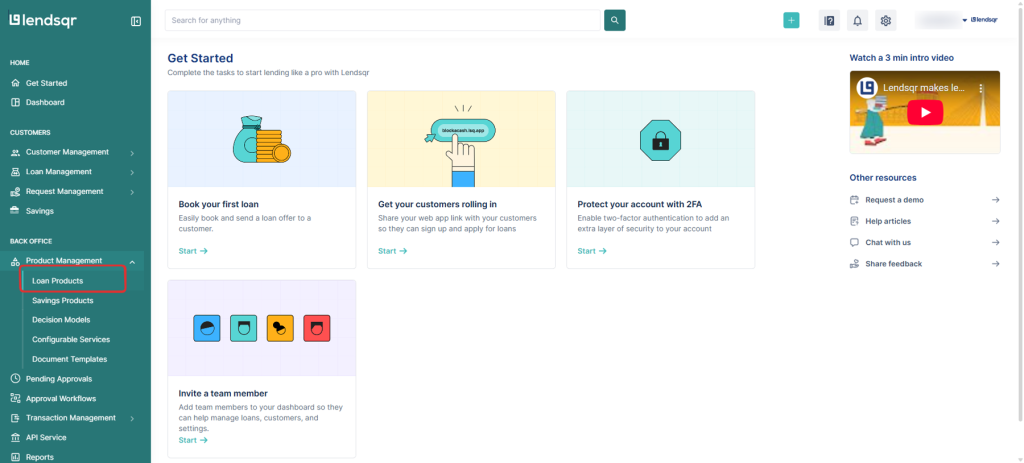
1. Login to the Admin Console 2. Click on “Loan Products” under “Product Management“
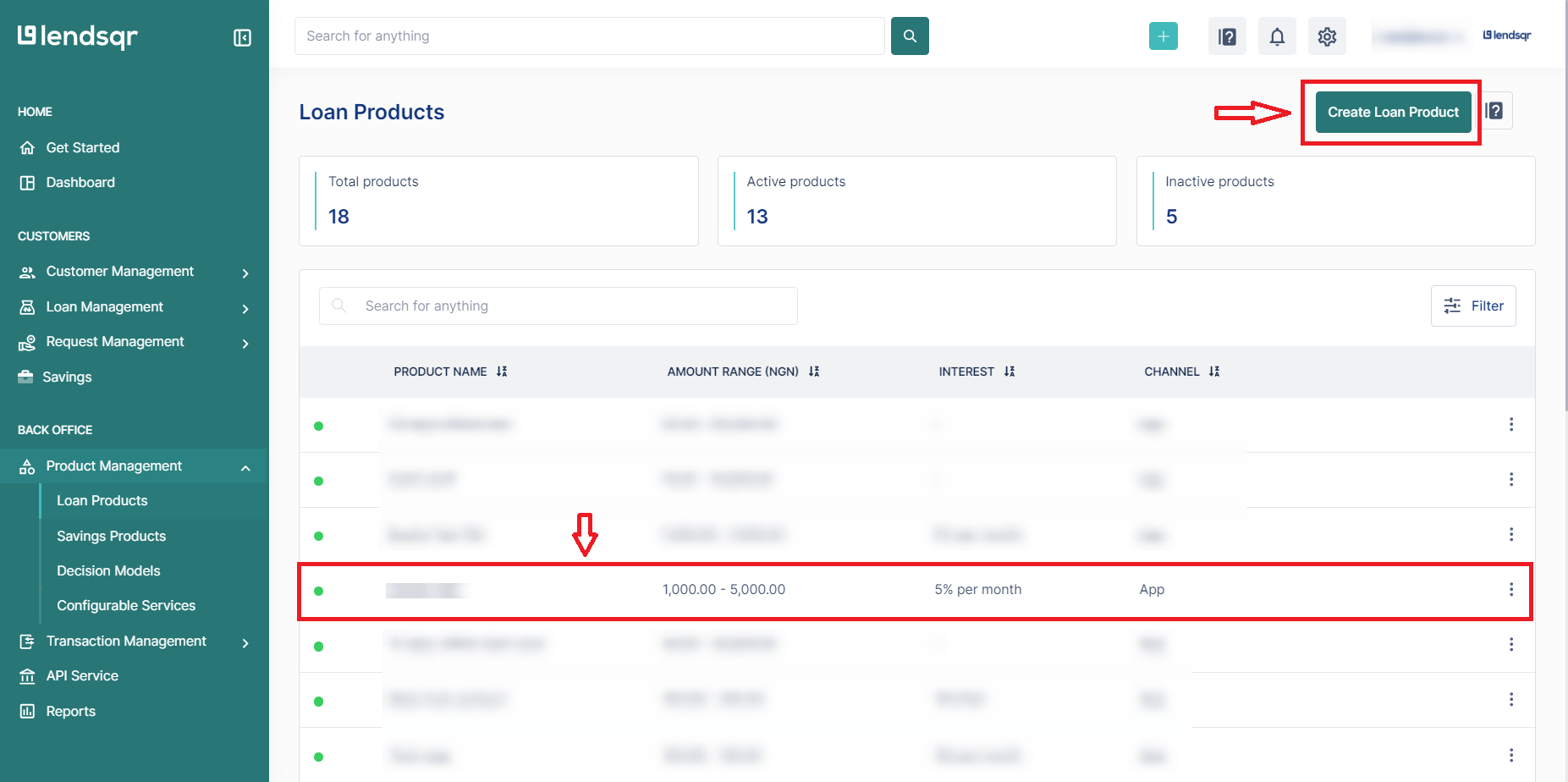
3. Create a loan product or open an existing one
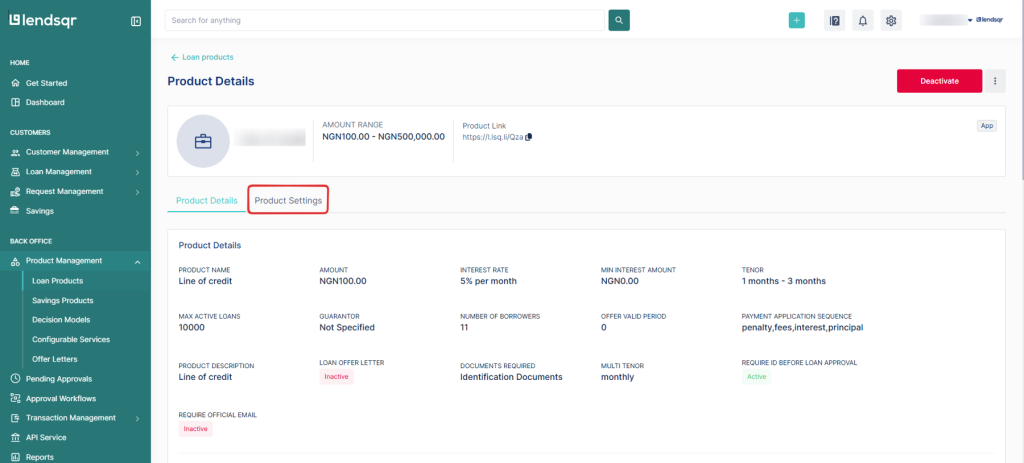
4. Click on the “Product Settings” tab on the “Product Details” page.
5. Locate the “GL Mapping and Codes” attribute. Click on the “three dot” icon and select “Edit” beside this attribute.
6. To enable GL mapping, copy and paste your configuration. Then click on the “Submit” button to apply the changes to the loan product.
To get the GL mapping for all the transactions in a loan, simply call the data/loans/transactions endpoint via our APIs on Adjutor and review the data object. You should find this mapped under the meta parameter.
{"success": true,"data": [ {"loan_id": 411874,"loan_schedule_id": 3055516,"loan_transaction_id": 6788291,"transaction_id": 43265332,"transaction_date": "2025-12-10T18:56:55.000Z","reference": "PCSR6kD5ht6Gfte","description": "Loan repayment for loan #411874 due on 2025-12-16","source": "wallet","currency": null,"transaction_amount": 10,"loan_transaction_status": "success","amount": 10,"principal_paid": 5,"interest_paid": 5,"penalty_paid": 0,"due_date": "2025-12-17T00:00:00.000Z","loan_schedule_status": "partial","created_on": "2025-12-10T18:56:59.000Z","product_id": 25200,"product_name": "salary loan","meta": "{\"principal\":{\"gl_code\":\"132201\",\"description\":\"Loan Principal - Salary Loan\"},\"interest\":{\"gl_code\":\"410146\",\"description\":\"Interest Income - Salary Loan\"},\"fees\":{\"gl_code\":\"410276\",\"description\":\"Disbursement fee Income (1%) - Salary Loan\"},\"penalty\":{\"gl_code\":\"410327\",\"description\":\"Late Penalty Fee - Salary Loan\"},\"write_off\":{\"gl_code\":\"541217\",\"description\":\"Bad Debt WOF - Salary Loan\"}}" } ]}