Access your Back Office at your fingertips.
Download the app now on Google Play Store.
Scan the QR code
You can also scan QR code with your phone to download the app.
How to control loan booking and assignment settings
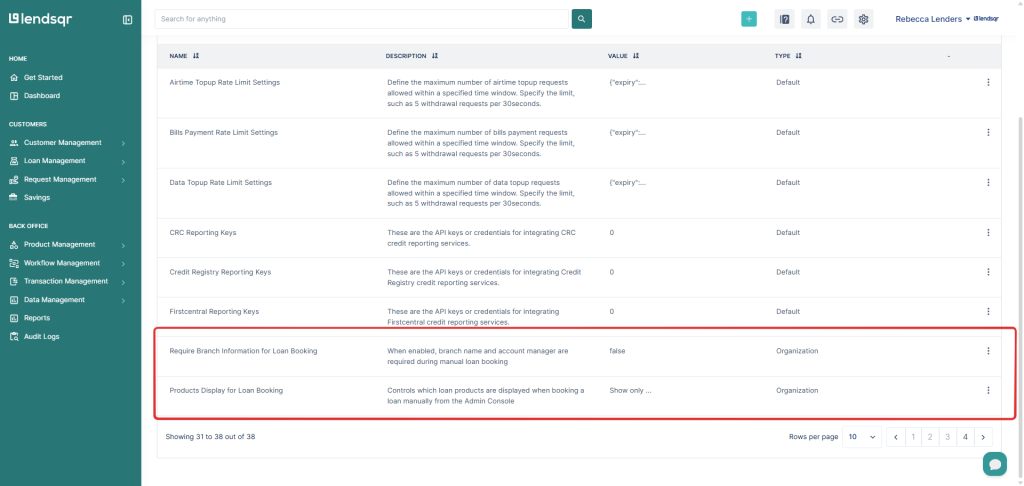
The loan booking control feature in Lendsqr allows you to define how loans are originated within your organisation by enforcing workflow rules and managing product visibility during booking.
Mandatory account manager and office selection
You can choose whether selecting an account manager and office is required when booking a loan.
True – Loan booking will require staff to select an account manager and office before proceeding. This helps enforce accountability and ensures proper loan ownership tracking.
False – Loan booking can proceed without requiring account manager or office selection.
This setting helps you decide how strictly workflow metadata should be enforced during loan creation.
Loan product visibility during booking
You can control which loan products are displayed when staff are booking a loan.
Choose one of the following options:
Show all loan products All available loan products will be visible during loan booking regardless of product type or operational channel.
Show only offline products Only products configured as offline products will be displayed. This helps simplify the booking interface and ensures staff select products relevant to offline operations.
How to configure these settings
1. Start by logging in to your admin console with your credentials.
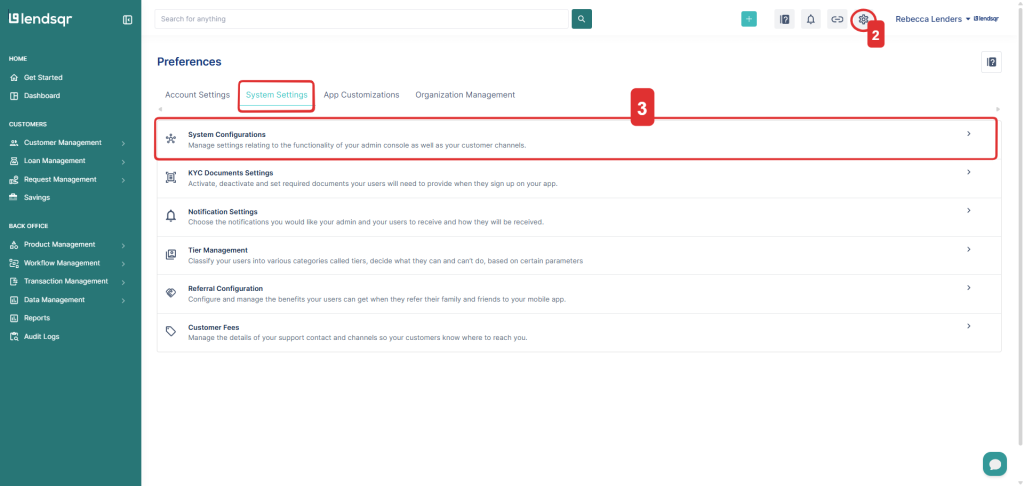
2. Click on the settings icon located at the top right corner of your screen.
3. From the dropdown menu, click on “System configurations” under the “Preferences” page.
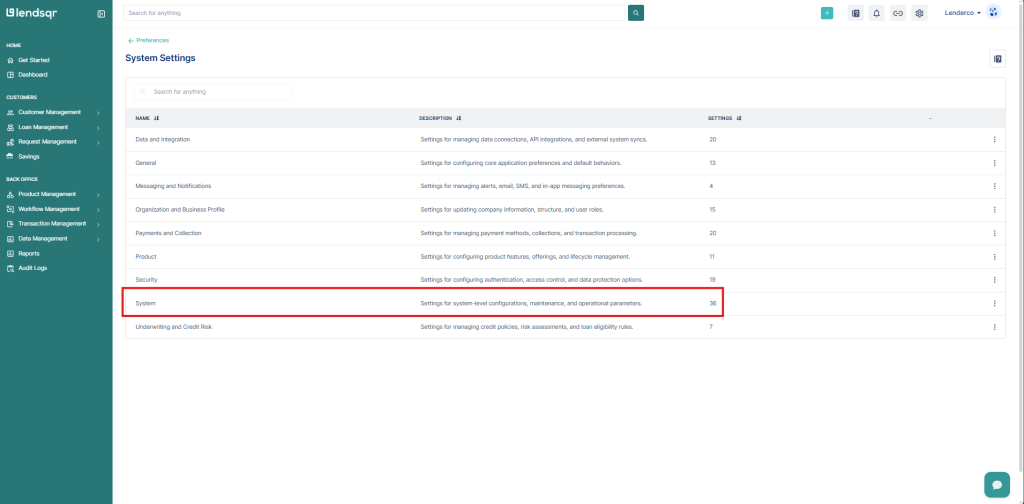
4. On the resulting page, select “System”.
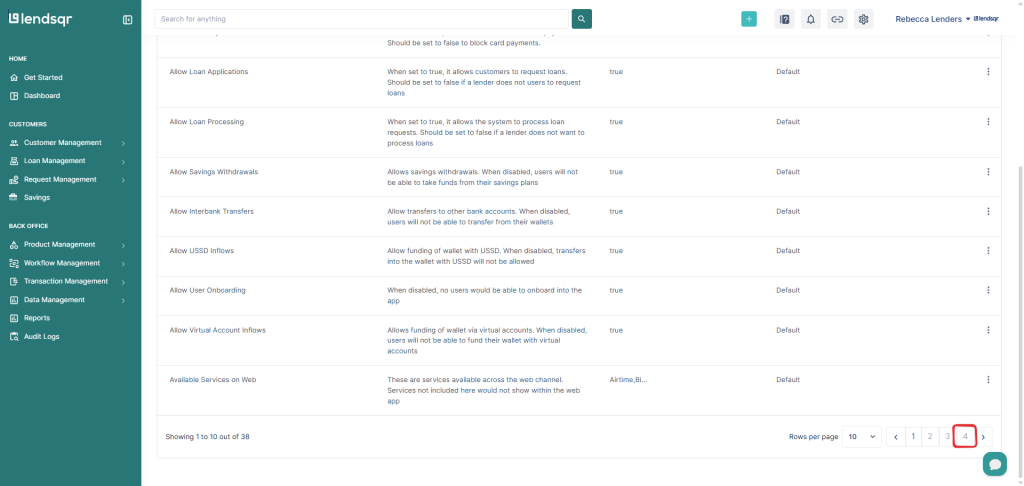
5. Scroll down to the bottom and navigate to the last page, “4,” in the pagination at the bottom. After which, locate the setting and click to edit.
6. Configure and then “Update” to apply the new setting.