Access your Back Office at your fingertips.
Download the app now on Google Play Store.
Scan the QR code
You can also scan QR code with your phone to download the app.
Funding a wallet manually on the admin console
Overview
Lendsqr allows authorized admins and lenders to manually credit or debit user wallets directly from the admin console. This enables efficient management of wallet balances without needing external systems.
Scope: This guide covers manual wallet funding only.
Who can use this feature
Super Admins
Authorized Lender Admins
Operations users with post user transaction permissions
Access is controlled via user roles and permissions.
When to use manual wallet funding
Use this feature to:
Add funds to a user’s wallet
Deduct funds from a wallet for reconciliation or adjustments
Perform internal wallet adjustments approved by finance or operations
This function is designed for manual adjustments only, not routine transactions.
Pre-requisites
Before funding a wallet:
Confirm the user account exists and is active
Ensure the wallet is active
Verify the amount and the purpose of the funding
Step by step guide
1. Log in to the Admin Console and locate the user. You can refer to the guide on how to search and select a user.
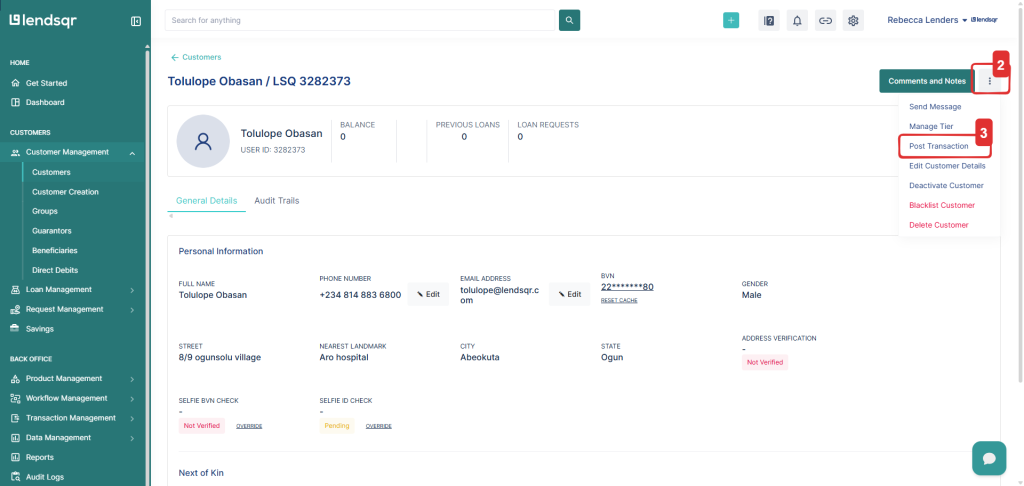
2. Click the More Options icon at the top right of the user profile.
3. Select Post Transactions
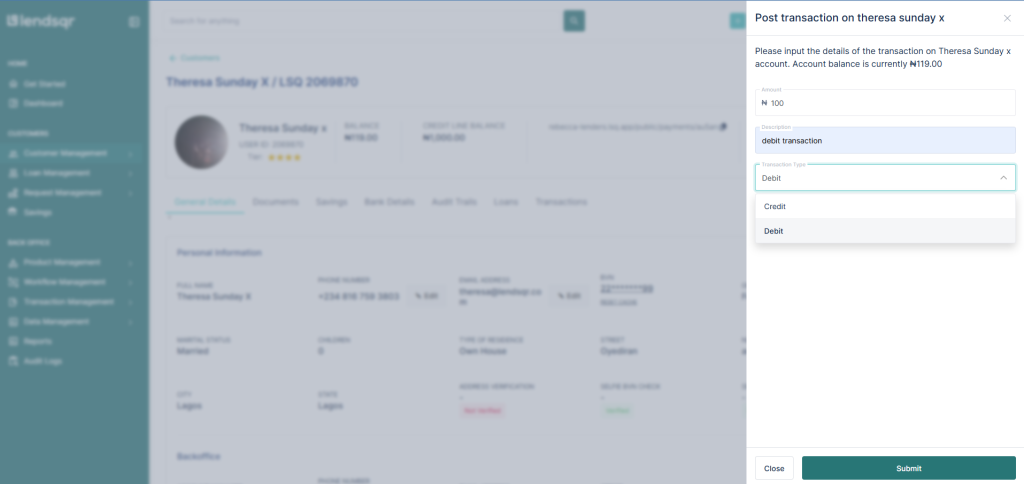
4. A modal will appear. Fill in the required fields:
Amount
Narration
Transaction Type (Credit or Debit)
5. Click Submit once all details are entered
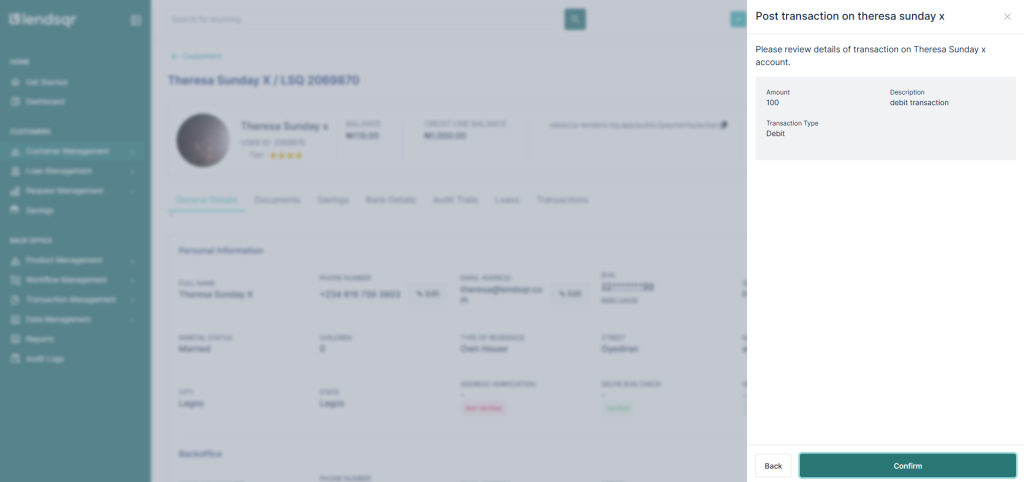
6. Review and confirm the transaction details on the confirmation page
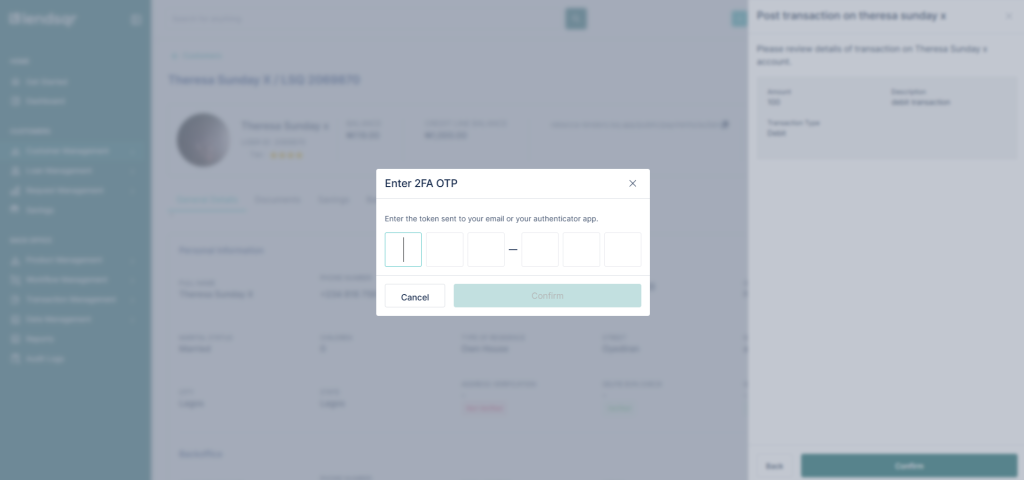
7. Enter your OTP from your authentication app, email, or SMS.
8. Upon successful processing:
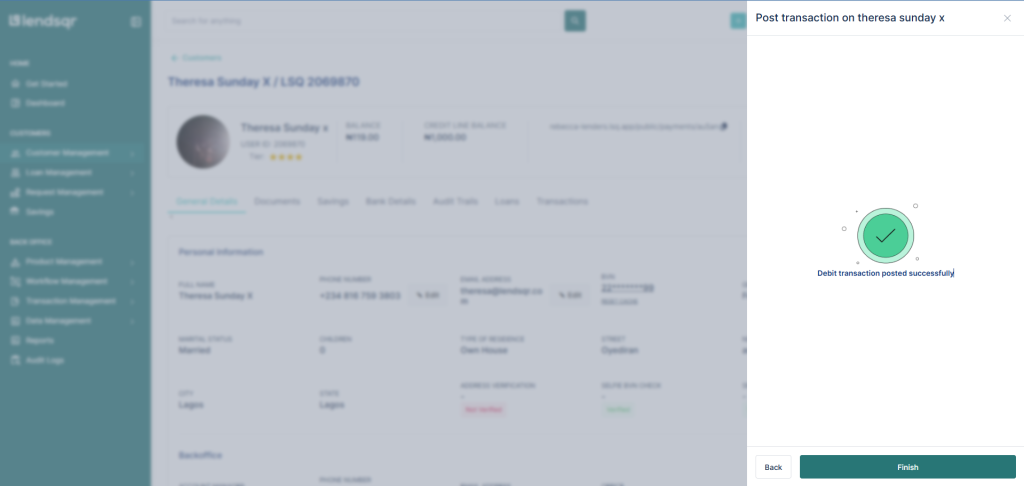
A success message will be displayed.
A new transaction entry will be created and visible in the user’s transaction history.