Access your Back Office at your fingertips.
Download the app now on Google Play Store.
Scan the QR code
You can also scan QR code with your phone to download the app.
Adding a repayment method while booking a loan
Adding a repayment method is a critical step in loan booking processes, as it determines how loan repayments will be done by the borrower.
By setting up this feature during the loan booking process, organizations can ensure timely and efficient payment tracking, reduce manual follow-ups, and enhance the borrower’s experience. This guide provides a step-by-step approach on how to add this feature while booking a loan, enabling smooth financial operations and compliance with repayment terms.
Steps
To add this feature while booking a loan, please follow the outlined steps below:
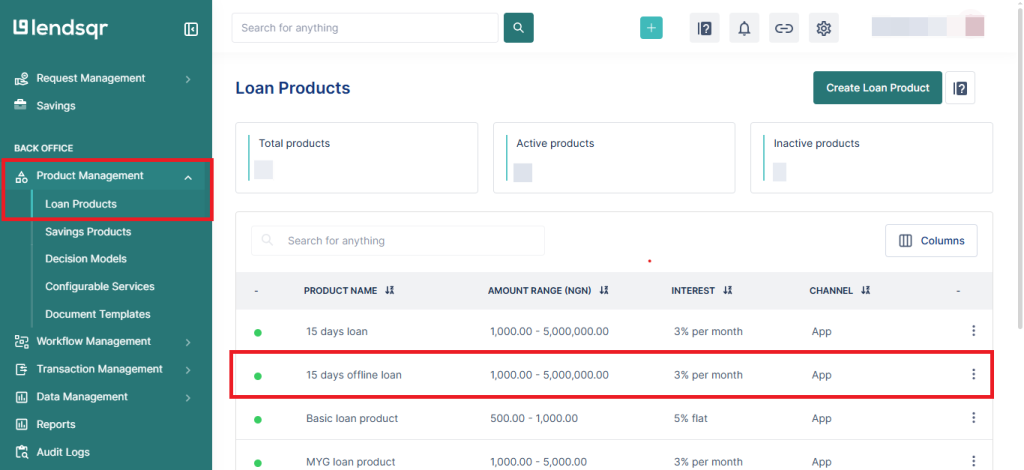
1. Navigate to ‘Products Management‘ section, and click on ‘Loan Products‘. Select the offline loan product you would like to select a repayment method for.
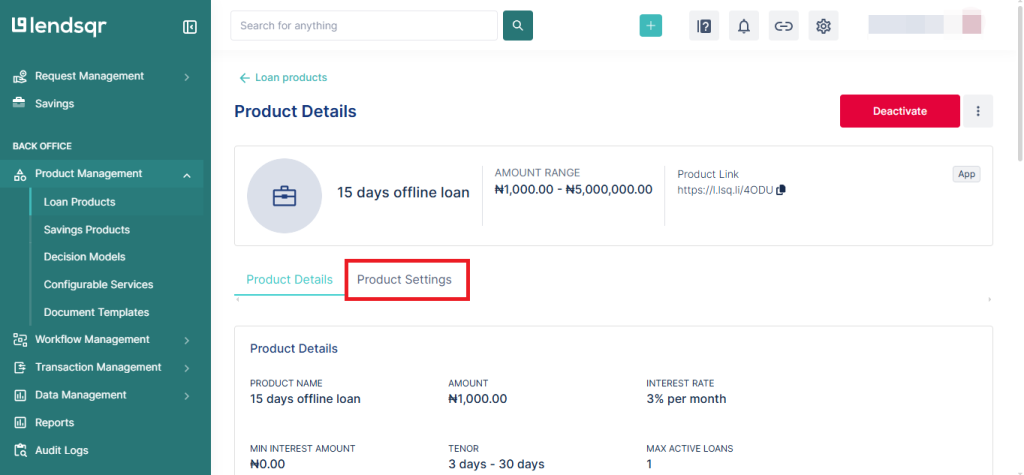
2. Click on the ‘Product Settings‘ section
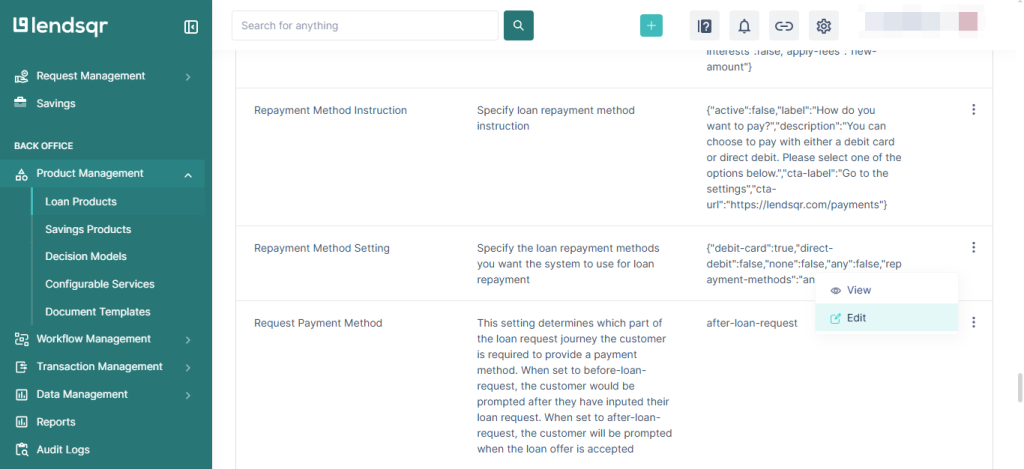
3. Navigate to ‘Repayment Method Setting‘ and click on “Edit”
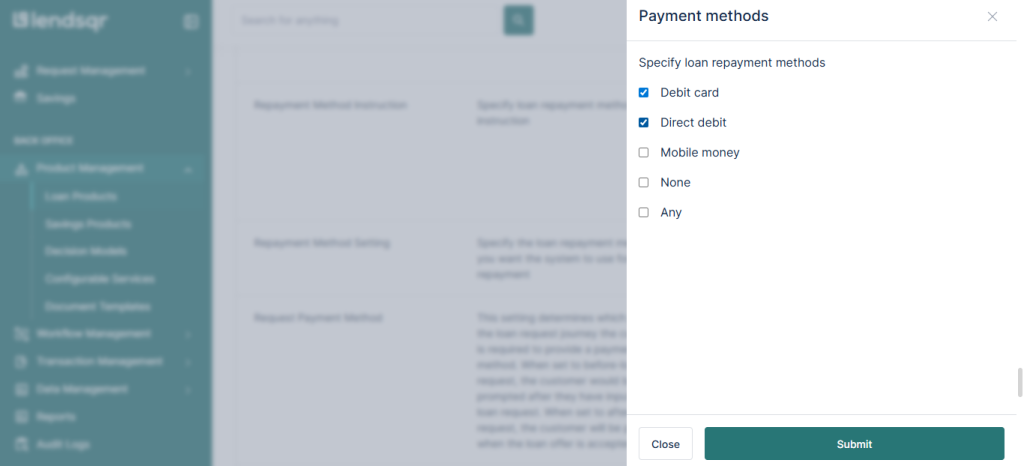
4. To edit, select your preferred method and ‘Submit‘
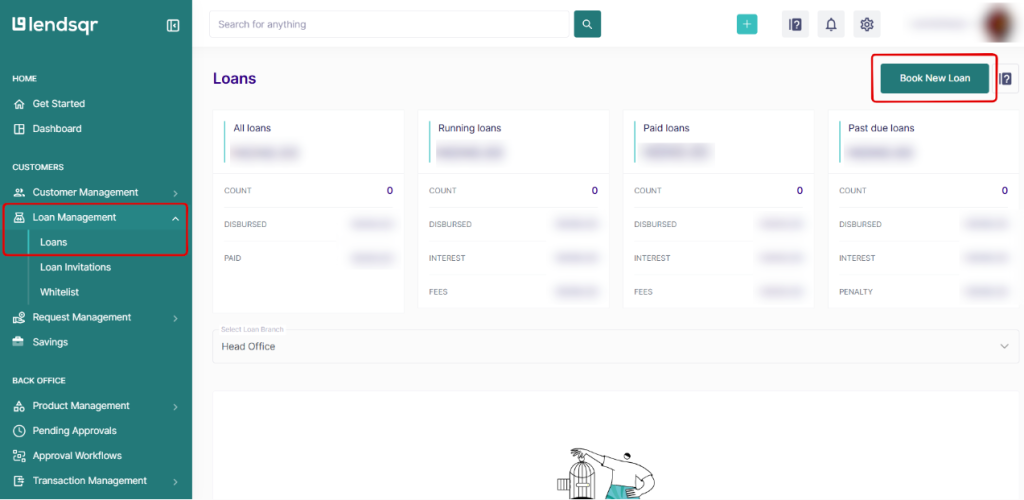
5. To manually book a loan for a user that already exists on your organization, click on ‘Loans‘ under the ‘Loan Management‘ tab.
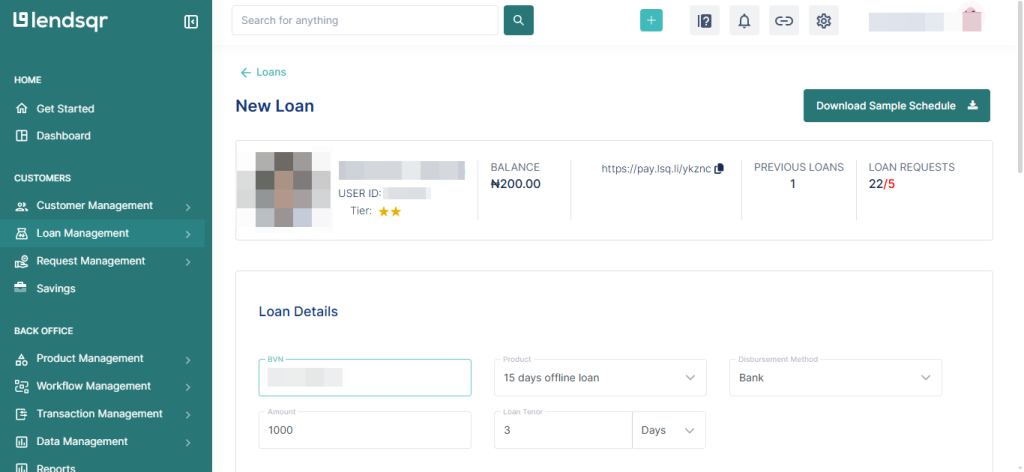
6. Input the borrower’s details. Add the ‘BVN‘ of the user in the first field, and the other fields will be updated automatically.
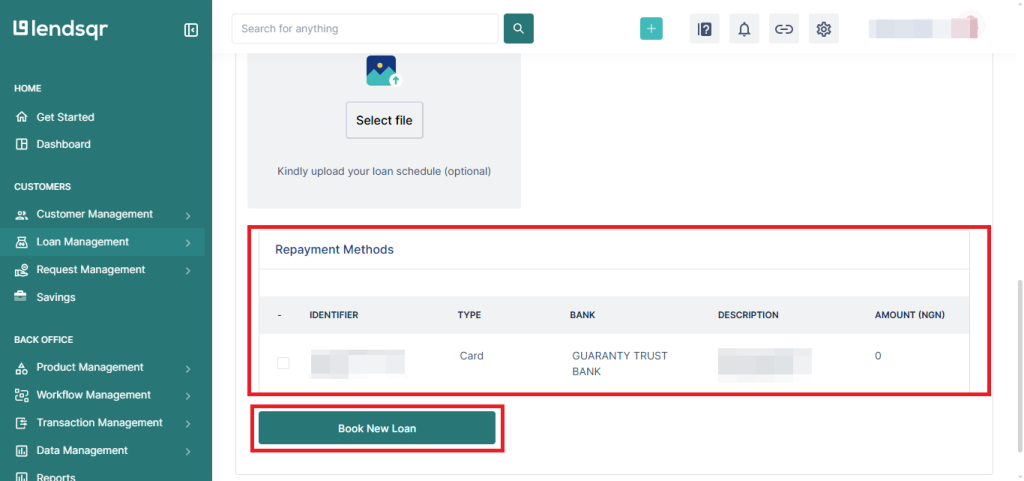
7. Select the repayment method and proceed to “Book New Loan”.