Access your Back Office at your fingertips.
Download the app now on Google Play Store.
Scan the QR code
You can also scan QR code with your phone to download the app.
How to view and edit penalty calculations on your loans
Penalty calculations help you manage loans more effectively by encouraging borrowers to repay on time and follow the agreed terms. Lenders usually apply these penalties when borrowers miss payments, delay repayment, or violate other terms of the loan agreement. With the Penalty Calculation feature, you can view a detailed breakdown of all penalties linked to a customer’s loan under Loan Details. Additionally, you can edit penalties attached to approved loans. If any incorrect penalty fees were added, you can easily update them to reflect the correct amounts.
Definition of terms in penalty calculations
Each penalty comes with specific settings that determine how it’s applied:
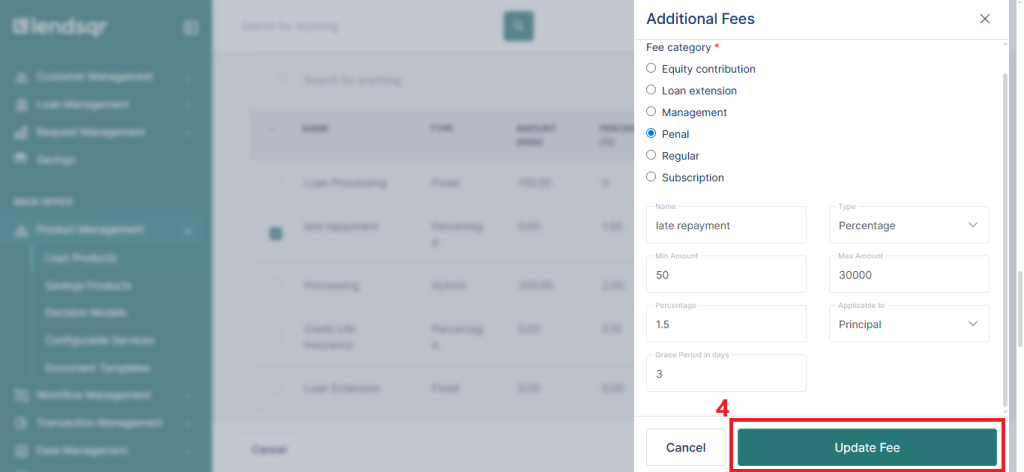
Name: The name of the penalty. It assigns a clear, identifiable label to the penalty so you can easily recognize it.
Amount: The fixed amount of the penalty. It applies a fixed penalty charge, regardless of the loan size.
Percentage: The percentage of the applicable amount that contributes to the penalty. Calculates the penalty based on a specific percentage of the applicable amount.
Applicable to: This determines whether the penalty applies only to the principal or to both principal and interest.
Minimum amount: The minimum amount of penalty that can be charged. This sets the lowest possible penalty that can be charged, providing a floor.
Maximum amount: It caps the penalty, ensuring it doesn’t exceed a certain amount, even for larger loans.
Grace period: The number of days after the due date before a penalty is applied. Adds a buffer period (in days) after the due date before the penalty kicks in.
Frequency: This specifies how often the penalty gets applied; daily, weekly, or otherwise.
How to edit penalties on running loans
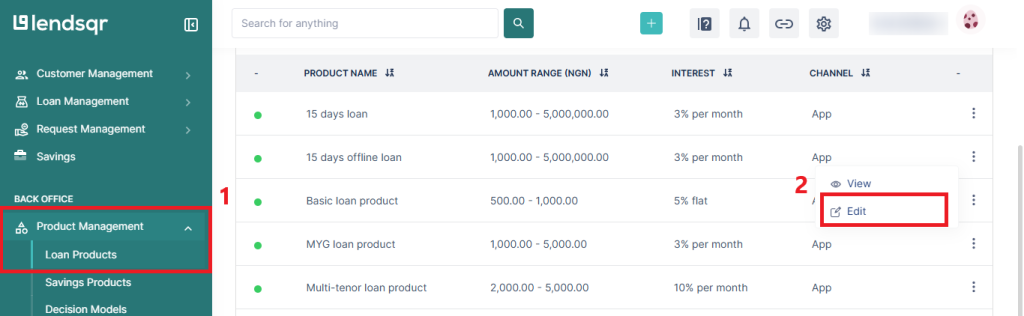
Navigate to “Loan Products” under the “Product Management” tab in the side navigation menu.
Select the loan product with the penalty and click “Edit” from the dropdown menu.
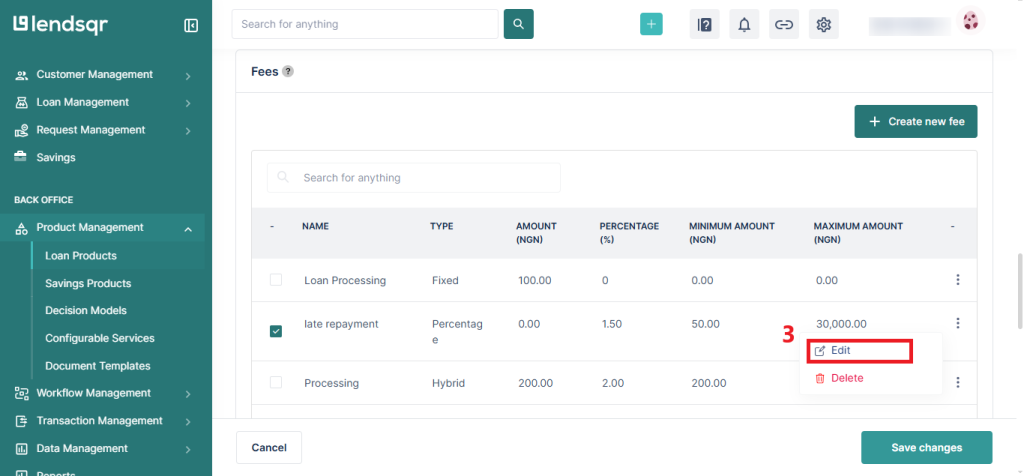
Scroll down to the “Fees” section and click on “Edit” for the penal fee tied to the loan product.
You can update the fee and edit. Click “Update Fee” to effect changes.
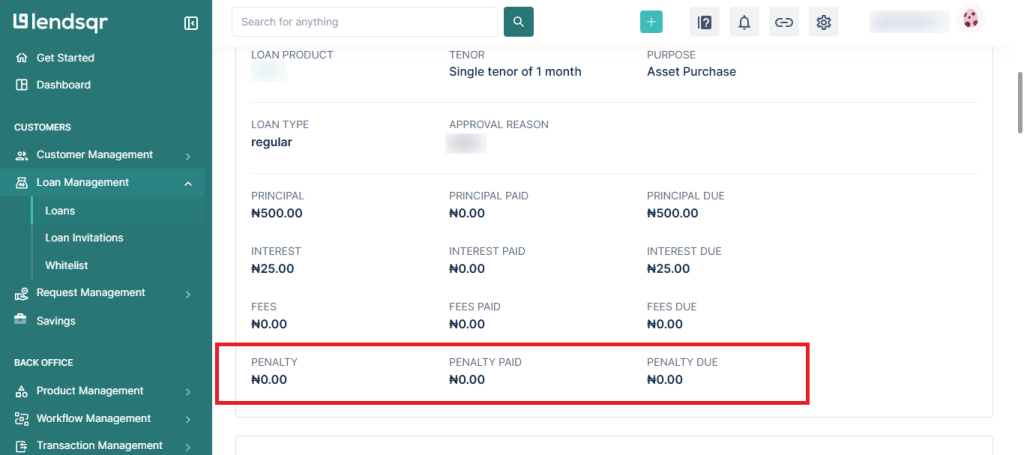
To view the penalty fee and updates made, scroll down to the “Loan Details” section of the loan under the “Loans” tab. There, you can view the penalties owed or paid on the loan.