Access your Back Office at your fingertips.
Download the app now on Google Play Store.
Scan the QR code
You can also scan QR code with your phone to download the app.
Understanding interest day count convention configuration for loan products
Introduction
Lending systems can calculate interest differently across platforms because they measure time in different ways. These differences may lead to mismatches between repayment schedules generated on a lending platform and those maintained by external core banking applications. To ensure consistency and accurate reconciliation, Lendsqr enables lenders to configure how loan products accrue interest using a day count convention.
What is a day count convention
A day count convention specifies how a system calculates the number of days between two dates when accruing interest. It determines the denominator used when spreading interest across a loan period and directly affects the amount of interest charged on each repayment. Financial institutions commonly adopt different conventions based on loan structure and repayment frequency.
Why Lendsqr supports configurable day count conventions
Lenders operate with varying financial models and accounting expectations. By supporting multiple day count conventions, Lendsqr provides the flexibility needed to align loan schedules with internal policies and external systems. This ensures that repayment plans, interest accrual, and reporting remain accurate and predictable.
Available day count convention options
Convention
Description
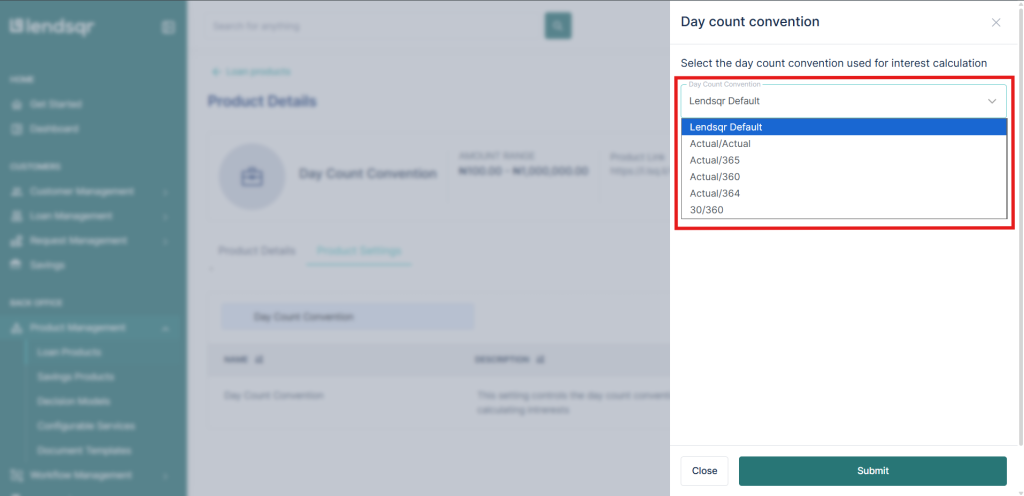
Lendsqr Default
Lendsqr’s standard interest calculation logic, applied across the platform by default.
Actual / Actual
Interest is calculated using the exact number of days in the period and the actual number of days in the year.
Actual / 365
Interest is calculated using the exact number of days elapsed, divided by 365 days in the year.
Actual / 364
Interest is calculated using the exact number of days elapsed, divided by 364 days in the year.
Actual / 360
Interest is calculated using the exact number of days elapsed, divided by 360 days in the year.
30 / 360
Each month is treated as having 30 days, with 360 days assumed in a year.
The chosen day count convention directly controls how interest accrues over time by defining how the system counts days within each repayment period. While the principal, rate, and tenor remain the same, changing the convention can slightly increase or reduce interest amounts across the loan schedule. This makes the choice of convention an important consideration when setting up loan products.
Step-by-step guide
To configure a day count convention for a loan product, follow these steps:
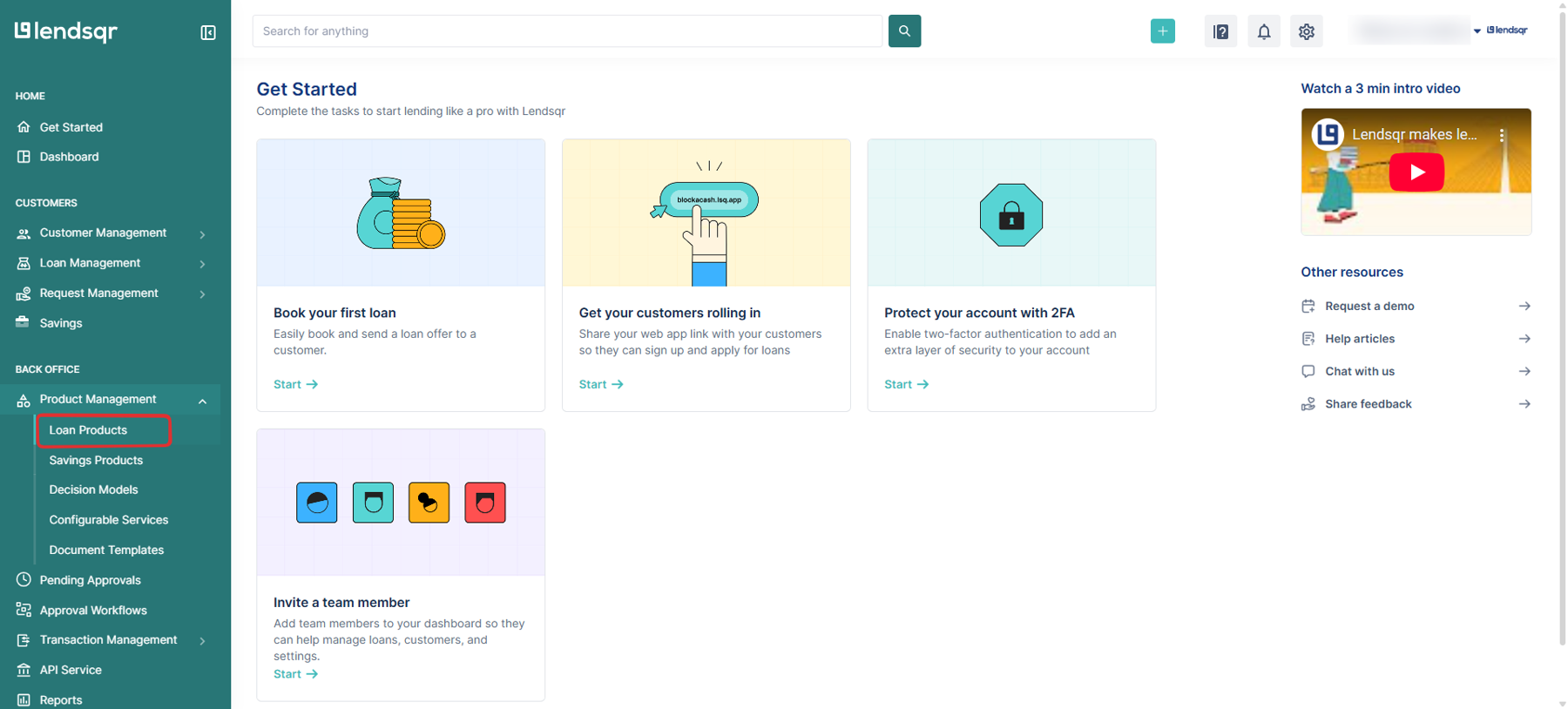
Navigate to Back Office, then Product Management, and select Loan Products.
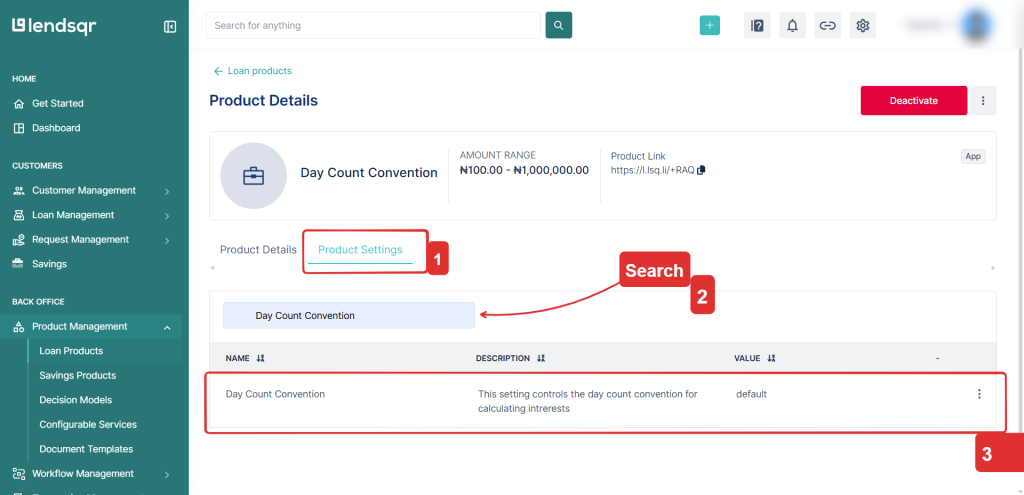
Open the specific loan product you want to configure and go to Product Settings.
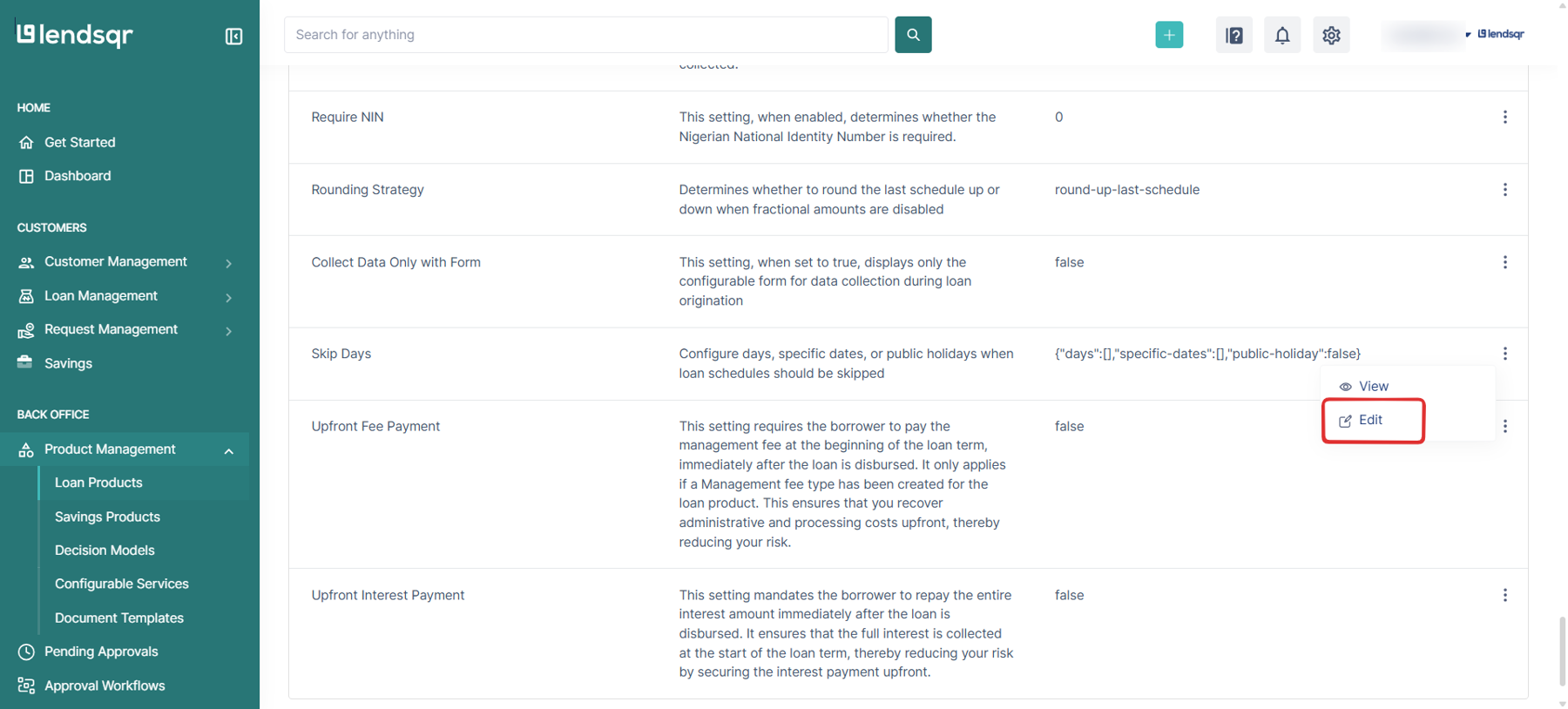
Scroll through the settings or search for Day Count Convention.
Select the desired option from the dropdown, and save your changes.
Supported repayment models
Day count convention configuration does not work with the EMI repayment model. The system supports this configuration only for straight line and reducing balance repayment models.
Configuring the correct day count convention helps lenders maintain accurate interest calculations and consistent loan schedules. By selecting the option that aligns with your lending and accounting practices, you can ensure clarity, accuracy, and smoother reconciliation across your loan operations.