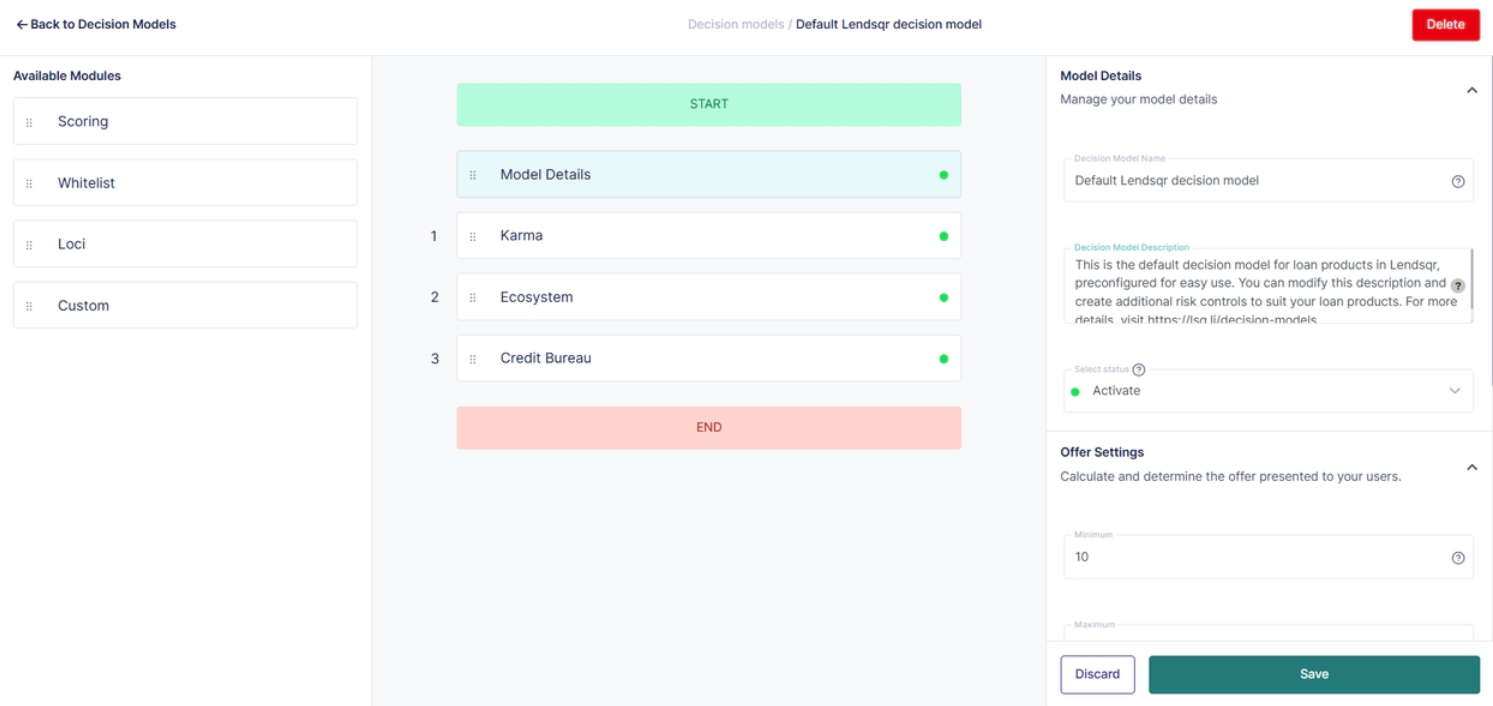
Within Lendsqr, JSON is used to define and configure Oraculi decision modules. This allows lenders to clearly structure rules, conditions, and parameters in a format that the system can interpret and execute reliably.
If you are working with decision models, understanding how JSON works is essential, as incorrect formatting or data types will prevent your configurations from being saved or applied.
JSON provides a structured way to define decision logic. Instead of relying on ambiguous inputs, it enforces a clear format where every rule is explicitly defined using key-value pairs.
This makes it easier to:
Understand what each module is doing
Maintain consistency across configurations
Debug errors when something goes wrong
Ensure the system processes rules exactly as intended
Because Oraculi decisioning relies on precise logic, JSON acts as the backbone for configuring these rules in a predictable and scalable way.
Understanding JSON data types
When working with JSON in decision models, it is important to use the correct data types. Each value in a JSON payload must match the expected type defined by the module.
Common data types include:
Strings These are sequences of characters enclosed in double quotation marks. Example: "status": "approved"
Numbers These are numeric values without quotation marks. Example: "score": 75
Boolean These represent true or false values. Example: "isEligible": true
Arrays These are ordered lists of values enclosed in square brackets. Example: "checks": ["karma", "scoring"]
Objects These are collections of key-value pairs enclosed in curly braces. Example: "user": { "age": 30 }
Null This represents an empty or undefined value. Example: "middleName": null
Using the correct data type is critical. If a module expects a number and you provide a string instead, the system will reject the configuration.
JSON structure and formatting rules
JSON follows a strict structure that must be adhered to when creating or editing decision models.
Data structure
JSON is built using a hierarchical structure of objects and arrays.
Objects are enclosed in curly braces {} and contain key-value pairs. Arrays are enclosed in square brackets [] and contain lists of values.
Key-value pairs
Each entry in a JSON object consists of:
A key, which must be a string enclosed in double quotation marks
A colon that separates the key from the value
A value, which can be any valid JSON data type
Example:
{
  "minimum_score": 50,
  "is_active": true
}
Formatting rules
All keys must be enclosed in double quotation marks.
Values must match valid JSON data types.
Commas must separate each key-value pair, except for the last entry in an object.
Improper formatting such as missing quotes, extra commas, or incorrect nesting will result in errors.
Note: If you do use the wrong data type, you will be unable to save the changes in the module. This is a check to ensure that your module is in the correct format.
Validation and system checks
Lendsqr enforces strict validation when saving JSON configurations in Oraculi modules.
If the JSON structure is invalid or if the data types do not match the expected format, the system will prevent you from saving your changes.
This validation step ensures that:
Decision models remain consistent and error-free
Modules execute correctly during loan decisioning
Risk rules are applied as intended without unexpected behavior
If you encounter issues while saving, review your JSON carefully for formatting or data type errors.
Common errors and how to fix them
One common issue is using the wrong data type. For example, entering "50" instead of 50 will cause validation to fail if a number is expected. Always confirm the required data type before inputting values.
Another frequent error is missing quotation marks around keys. JSON requires all keys to be enclosed in double quotes.
Trailing commas are also a common mistake. Ensure that the last key-value pair in an object does not end with a comma.
Incorrect nesting of objects or arrays can also break the structure. Double-check that all brackets and braces are properly opened and closed.
Best practices for working with JSON in Oraculi
Always validate your JSON structure before saving changes.
Use consistent naming conventions for keys to improve readability.
Keep your configurations simple and well-organized to make debugging easier.
Test changes in a controlled environment before applying them to live decision models.
Refer to module documentation to ensure that all values match the expected data types.
Sample validation error messages and how to fix them
One of the most common errors lenders encounter is an invalid JSON format message. This usually happens when a comma is missing between fields or when a bracket is not properly closed. The system will typically indicate that it expected a comma or closing bracket, and the fix is to carefully inspect the structure and ensure that every object and array is correctly opened and closed.
Another frequent issue is when the system returns an unknown module name error. This happens when a module is misspelled or not supported in Oraculi. For example, writing “karmas” instead of “karma” will cause the configuration to fail. The fix is to ensure that only supported module names such as karma, scoring, ecosystem, loci, or credit_bureau are used.
A third common error relates to data types. The system may indicate that a number was expected but a string was received. This typically happens when values like 60 are written as “60”. The fix is to remove quotation marks so that numeric fields remain true numbers rather than strings.
Another error occurs when required fields are missing entirely. For instance, if offer_settings is not included in a model that requires it, the system will reject the configuration. The fix is to ensure that all mandatory sections are present before saving.
There are also cases where unsupported values are used inside configuration fields. The system may reject values such as custom fail_action labels that are not part of the allowed list. In such cases, the fix is to replace the value with supported options like decline, review, or continue as defined by the module.
Summary
Oraculi decision models rely on correctly structured JSON to define how loans are evaluated, approved, or declined. These models are entered through the Decision Model section in the Lendsqr Admin Console, validated before saving, and optionally tested using sample borrower data. When errors occur, they are almost always related to formatting, incorrect module names, missing fields, or invalid data types, and resolving them requires aligning the configuration strictly with the system’s expected structure.
JSON is a foundational component of configuring Oraculi decision models in Lendsqr. By understanding its structure, data types, and formatting rules, you can create accurate and effective decision logic.
Ensuring that your JSON is properly formatted and validated will help prevent errors, improve system reliability, and enable more precise credit decisioning.
For further details on how JSON fits into decision model configuration, see: [What are Oraculi Decision Model Settings?]